Number Pools for Visitor-Level Call Tracking Attribution
Groups of tracking numbers that work together for visitor-level attribution. Numbers are automatically assigned to website visitors and recycled when sessions expire. Configure pool size, session duration, and overflow behavior.
The bottom line
Last updated: February 2026CallScaler number pools are groups of tracking numbers that work together for visitor-level attribution via DNI. Numbers are automatically assigned to website visitors, tracked through their session, and recycled when sessions expire. You can configure pool size, session duration, and overflow behavior. Pool numbers start at $0.50/month each on the Pro plan, making large pools affordable for high-traffic sites.
How it works
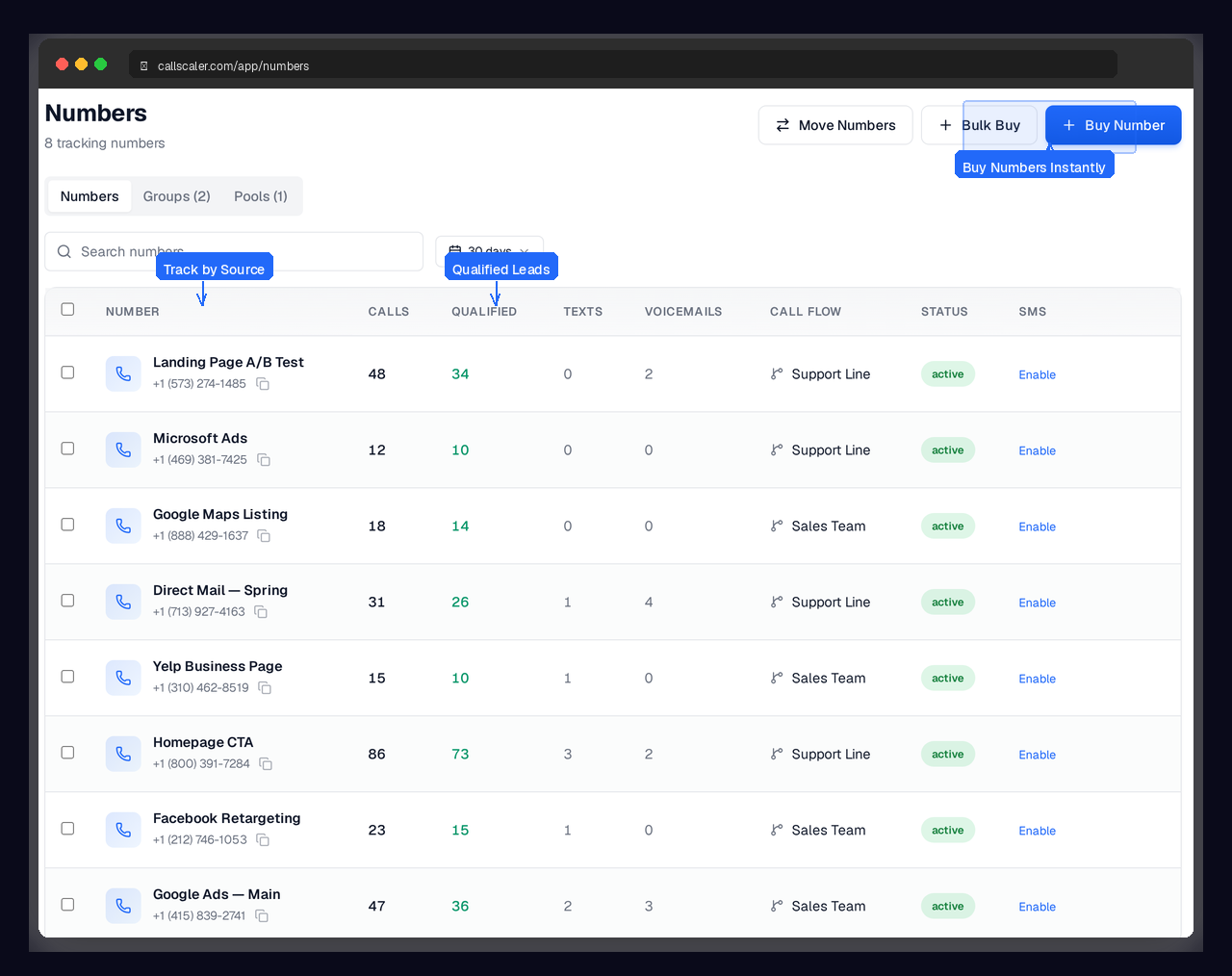
Pools of numbers that auto-assign and recycle for visitor tracking.
Create a Pool
Add a group of tracking numbers to a pool. Choose the size based on your traffic volume.
Assign to Visitors
When a visitor lands on your site, a number from the pool is assigned to their session automatically.
Session Tracked
The visitor sees that number across your site. If they call, the call is matched to their exact session.
Numbers Recycled
When a session expires, the number is returned to the pool and assigned to the next visitor.
Key capabilities
Right-size your pools with smart recycling and overflow controls.
Flexible Pool Sizes
Add as many numbers as you need. Start small and grow the pool as traffic increases.
Session Duration Control
Configure how long a number stays assigned to a visitor. Balance accuracy with pool efficiency.
Automatic Recycling
Numbers are returned to the pool when sessions expire. Maximize coverage with fewer numbers.
Overflow Handling
When all pool numbers are in use, configure fallback behavior so no visitor goes untracked.
Pool Members
Add or remove numbers from a pool at any time. Mix local and toll-free numbers.
Pool Analytics
See pool utilization, session counts, and recycling rates. Right-size your pools with data.
Try Number Pools free
No credit card required. Set up in under 60 seconds.
Who uses number pools?
Marketers running DNI who need visitor-level attribution at scale.
What number pools do and why they matter
Number pools are groups of tracking numbers that work together to provide visitor-level attribution on your website. Instead of one number per campaign, you have a pool of numbers that rotate across visitors. Each visitor gets a unique number for their session, so when they call, you know exactly who they are and how they found you. Pools are the engine behind dynamic number insertion. Without a pool, DNI cannot assign unique numbers to individual visitors.
Sizing your number pool correctly
Pool size depends on your concurrent visitor traffic. Here are practical guidelines:
- Sites with under 200 daily visitors typically need 4 to 8 numbers in the pool
- Sites with 200 to 500 daily visitors work well with 8 to 15 numbers
- Sites with 500 to 1,000 daily visitors should use 15 to 25 numbers
- High-traffic sites above 1,000 daily visitors may need 25 or more numbers
- CallScaler's pool analytics show utilization rates so you can adjust based on real data
- Start smaller than you think and add numbers if utilization exceeds 80 percent
How session duration and recycling interact
When a visitor arrives on your site, they get a number from the pool. That number stays assigned for the session duration you configure, typically 20 to 30 minutes of inactivity. Once the session expires, the number goes back into the pool for the next visitor. Shorter session durations recycle numbers faster, letting you serve more visitors with fewer numbers. Longer durations improve accuracy since the visitor keeps their number even if they browse away and come back. Most businesses find 20 minutes is the sweet spot.
Overflow handling for high-traffic moments
When all numbers in your pool are assigned to active sessions, overflow handling kicks in. You can configure CallScaler to show a default number (which still tracks at the source level), expand the pool automatically by adding new numbers, or reuse the most recently recycled number. The right choice depends on whether you prioritize visitor-level accuracy or cost control. For most businesses, showing a default number during traffic spikes is fine since those moments are typically brief.
Pool management tips
Keep your number pools running efficiently with these practices:
- Check pool utilization weekly and add numbers if you consistently hit 80 percent or higher
- Use separate pools for separate websites or business lines to keep attribution clean
- Mix local and toll-free numbers if your audience responds better to one type
- Set session duration based on your typical visitor behavior, not a generic default
- Monitor the pool analytics dashboard to spot seasonal traffic changes that need pool adjustments
Number pools for agencies managing multiple clients
Agencies typically create one pool per client website. Keep pools isolated so client A's visitor never sees client B's number. This also makes reporting cleaner since each pool maps to one client. On the Agency plan, pool numbers cost as little as $0.50/month each, making it affordable to run 10-20 number pools across your client portfolio.
How pool size affects attribution accuracy
If your pool is too small for your traffic, multiple visitors may share the same number simultaneously. When one of them calls, CallScaler attributes the call to the most recent session, which may not be the actual caller. This is why pool utilization matters. At 80 percent utilization or above, you risk overlapping sessions. Adding more numbers is cheap insurance for accurate visitor-level attribution.
Scaling pools for seasonal traffic
Handle traffic spikes without losing attribution quality:
- Review pool utilization before known high-traffic periods like holidays or sales events
- Add temporary numbers to the pool during peak seasons and remove them after
- Set up overflow handling to show a default number when the pool is fully assigned
- Use CallScaler's pool analytics to compare utilization across months and plan ahead
Frequently asked questions
Common questions about Number Pools.
Related features
Works great with Number Pools.
Dynamic Number Insertion
One line of JavaScript. Every website visitor sees a unique tracking number based on how they found you — Google Ads, Facebook, organic, or direct. Visitor-level attribution without changing your site.
Learn moreTracking Numbers
Assign unique phone numbers to every marketing channel, campaign, and landing page. Attribute every inbound call to the source that generated it — with zero guesswork.
Learn moreKeyword-Level Tracking
Capture gclid, msclkid, fbclid, and UTM parameters automatically. Know which keywords, ad groups, and campaigns generate phone calls — and feed that data back to your ad platforms for smarter bidding.
Learn moreReady to try Number Pools?
Sign up free and get started in under 60 seconds. No credit card required.