Call Flow Builder with IVR, Round Robin and Geo Routing
Build sophisticated call routing with zero code. Greetings, IVR menus, round-robin distribution, schedule-based routing, geo-routing, and webhooks — all in a visual editor that anyone can use.
The bottom line
Last updated: February 2026CallScaler's call flow builder lets you create sophisticated call routing with a visual drag-and-drop editor. It supports IVR menus, round-robin distribution, geo-routing by area code or zip, schedule-based routing, and webhook triggers. Unlike Invoca or Ringba where call flow setup requires support tickets or complex configuration, CallScaler's flows are built visually and go live instantly with no deploy step.
How it works
Build your call routing visually. No code needed.
Open the Visual Builder
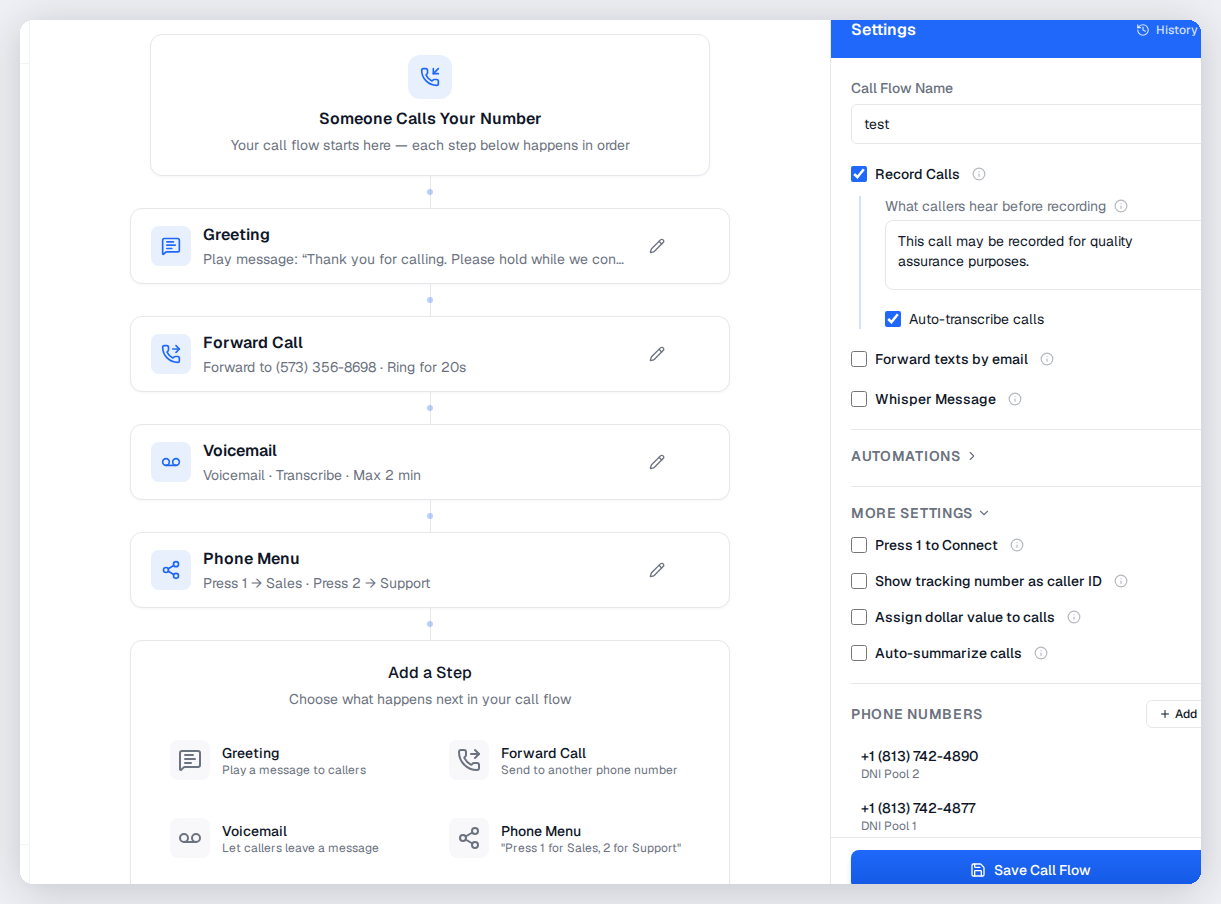
Drag and drop nodes onto the canvas: greetings, menus, routes, voicemail, webhooks, and more.
Connect the Flow
Draw connections between nodes to define the call path. Add conditions for time-of-day, caller location, or keypress.
Assign to Numbers
Attach your call flow to one or many tracking numbers. Changes go live instantly — no deploy needed.
Monitor & Optimize
See real-time call flow analytics. Identify drop-off points and optimize routing for better answer rates.
Key capabilities
Route calls anywhere with intelligent automation.
Visual Drag-and-Drop
Build complex routing logic visually. No code, no support tickets, no waiting.
IVR Menus
Multi-level press-1-for-sales menus. Custom audio or text-to-speech greetings.
Round Robin
Distribute calls evenly across your team. Weighted distribution and priority routing available.
Schedule Routing
Route differently based on business hours, days of week, and holidays.
Geo Routing
Route callers based on their area code, state, or zip code to the nearest location.
Webhook Nodes
Trigger webhooks at any point in the call flow. Integrate with your CRM or custom logic.
Try Call Flows free
No credit card required. Set up in under 60 seconds.
Who uses call flows?
Anyone who routes inbound calls to teams, locations, or partners.
What are call flows?
Call flows define the path a phone call takes from the moment it rings to the moment it connects (or doesn't). A simple call flow might forward directly to a sales rep. A complex one might play a greeting, offer an IVR menu, check the time of day, route by caller area code, try three agents in round-robin order, and fall back to voicemail if nobody answers. CallScaler lets you build all of this visually with a drag-and-drop editor.
Common call flow patterns for lead gen
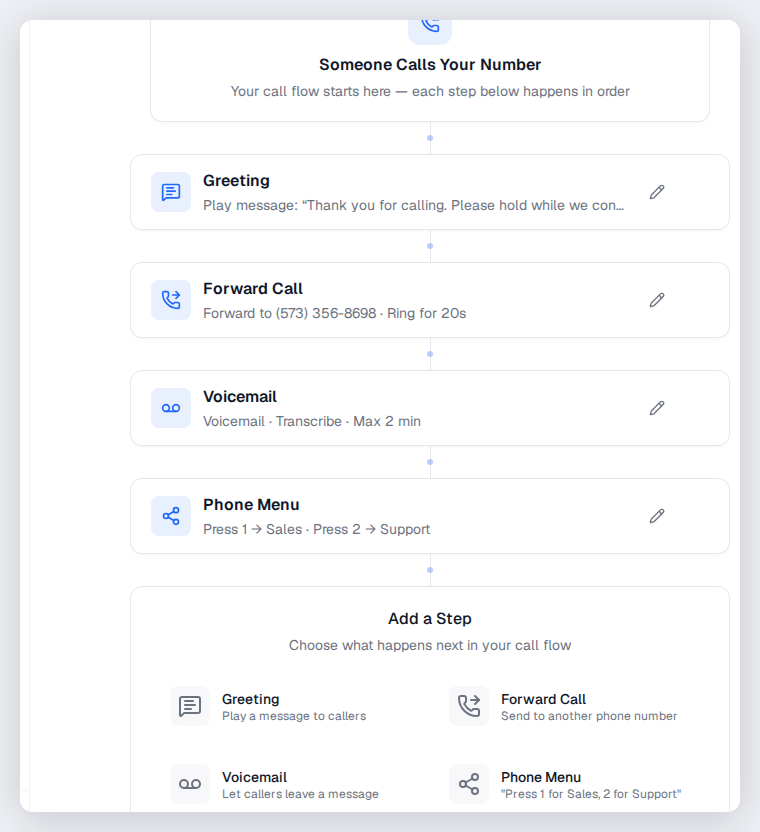
The most common pattern for lead generation businesses is: play a brief greeting, whisper the campaign source to the agent, then connect the call. For multi-location businesses, add geo-routing to send callers to the nearest office based on their area code or zip code. Agencies often use schedule-based routing to handle after-hours calls differently, forwarding to voicemail or a backup team. Pay-per-call networks typically use IVR menus for caller qualification followed by round-robin distribution to buyers.
IVR menus and caller self-service
Interactive Voice Response (IVR) menus let callers press keys to route themselves. Press 1 for sales, 2 for support, 3 for billing. This is useful when one tracking number handles multiple departments, or when you want to pre-qualify callers before connecting them to an agent. CallScaler supports multi-level IVR menus, custom audio prompts (text-to-speech or upload your own), and timeout handling for callers who don't press anything.
Geo-routing by area code and zip code
Geo-routing sends callers to different destinations based on where they are calling from. You can route by area code, zip code, or state. A national roofing company might route callers to the closest franchise location. A pay-per-call network might route to the highest-bidding buyer in the caller's region. CallScaler checks the caller's number against your geo rules and routes accordingly, all within the visual call flow builder.
How call flows connect to tracking numbers
You build a call flow once, then assign it to one or many tracking numbers. When any of those numbers receive a call, the flow executes. You can change the flow at any time and the changes apply instantly to all assigned numbers. This makes it easy to update routing logic across hundreds of numbers without touching each one individually.
Round-robin distribution for sales teams
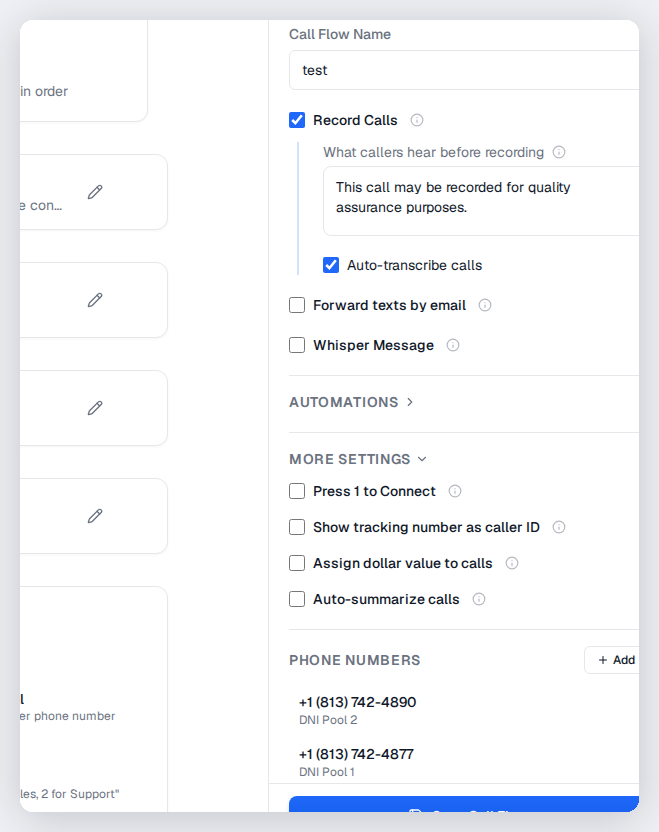
Distribute calls fairly across your team with round-robin:
- Even distribution ensures no single rep gets overloaded while others sit idle
- Weighted round-robin lets you send more calls to top performers or senior reps
- Skip agents who are already on a call or have exceeded their daily cap
- Track per-agent answer rates and conversion rates to optimize your distribution
Schedule-based routing for business hours
Route calls differently based on time of day, day of week, or holidays. During business hours, calls go to your sales team with round-robin. After hours, calls route to voicemail or a backup answering service. On holidays, play a custom greeting and take messages. Schedule routing is configured in the visual builder with drag-and-drop time blocks — no code or complex configuration needed.
Call flow analytics and optimization
Use call flow data to improve your routing:
- Track answer rates per destination to identify agents or locations that miss too many calls
- Monitor IVR menu selection rates to see if callers find the right option
- Identify drop-off points where callers hang up before connecting
- Compare call flow performance across different tracking numbers and campaigns
Pro tips for complex call flows
Keep call flows as simple as possible while meeting your routing needs. Every extra step adds a chance for the caller to hang up. If you use IVR menus, limit options to three or four choices. Always include a fallback path for callers who do not press any key. Test your call flow by calling your own tracking number and walking through every branch. Review call flow analytics monthly to spot bottlenecks or underperforming paths.
Frequently asked questions
Common questions about Call Flows.
Related features
Works great with Call Flows.
Tracking Numbers
Assign unique phone numbers to every marketing channel, campaign, and landing page. Attribute every inbound call to the source that generated it — with zero guesswork.
Learn moreCall Whisper
A short whisper message plays to the person answering the call — before the caller is connected. Know which campaign, source, or offer is calling so you can tailor your greeting and close more deals.
Learn moreVoicemails
Capture voicemails with automatic transcription when no one picks up. Get instant notifications via email or webhook so your team can follow up in minutes, not hours.
Learn moreReady to try Call Flows?
Sign up free and get started in under 60 seconds. No credit card required.