Call Tracking Numbers Starting at $0.50/mo
Assign unique phone numbers to every marketing channel, campaign, and landing page. Attribute every inbound call to the source that generated it — with zero guesswork.
The bottom line
Last updated: February 2026CallScaler offers local tracking numbers at $0.50/month on the Pro plan, with pay-as-you-go starting at $0 with no monthly commitment. All plans include call recording, AI summaries, and DNI at no extra per-feature cost. For agencies and pay-per-call networks managing 500+ numbers, Agency and Network plans offer volume pricing.
How it works
From setup to attribution in four steps.
Get Numbers
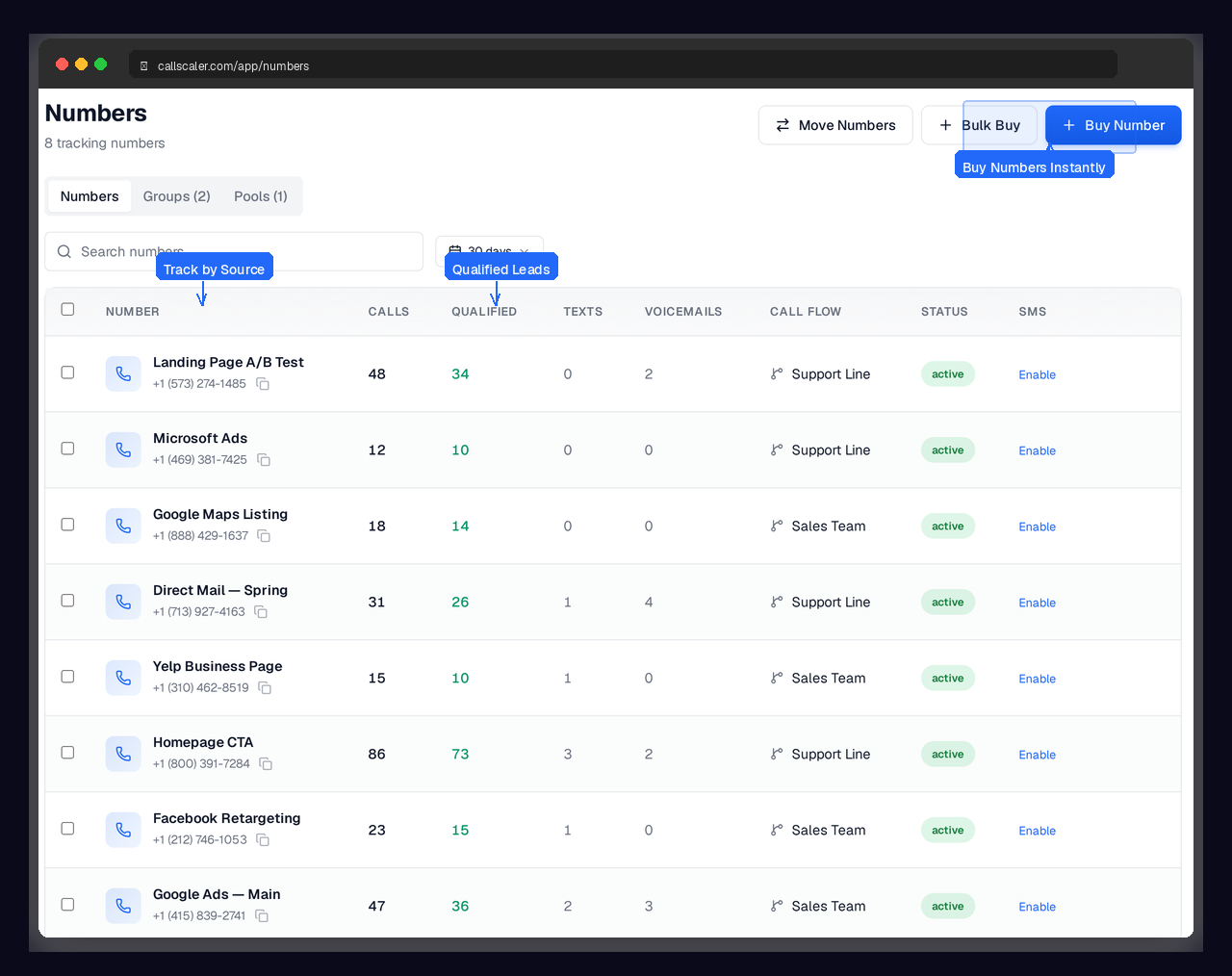
Choose local or toll-free numbers from our inventory of millions. Available instantly via dashboard or API.
Assign to Sources
Map each number to a campaign, ad group, landing page, or offline channel. One number per source for clean attribution.
Calls Flow In
When someone dials a tracking number, CallScaler routes the call to your destination and logs the source automatically.
See Attribution
Every call appears in your dashboard tagged with the source, campaign, and caller details. Export or push to your ad platform.
Key capabilities
Every number comes fully loaded.
Local & Toll-Free Numbers
Choose from millions of numbers across every US area code, plus toll-free options.
Source-Level Attribution
One number per campaign gives you crystal-clear ROI data for every marketing channel.
Number Pools
Create pools of numbers for high-traffic campaigns. CallScaler auto-assigns from the pool per visitor.
Number Porting
Port existing numbers into CallScaler. Keep the numbers your customers already know.
Instant Activation
Numbers are active in seconds. No waiting, no approvals, no setup fees.
Per-Number Analytics
See call volume, answer rate, duration, and lead quality for every tracking number.
Try Tracking Numbers free
No credit card required. Set up in under 60 seconds.
Who uses tracking numbers?
Any business or agency that runs marketing campaigns and receives phone calls.
What are call tracking numbers?
Call tracking numbers are dedicated phone numbers assigned to specific marketing campaigns, ad groups, or traffic sources. When a potential customer calls one of these numbers, your call tracking platform logs the source so you know exactly which campaign generated the call. This is the foundation of call attribution and the first thing you set up in any call tracking platform.
How call tracking numbers work in practice
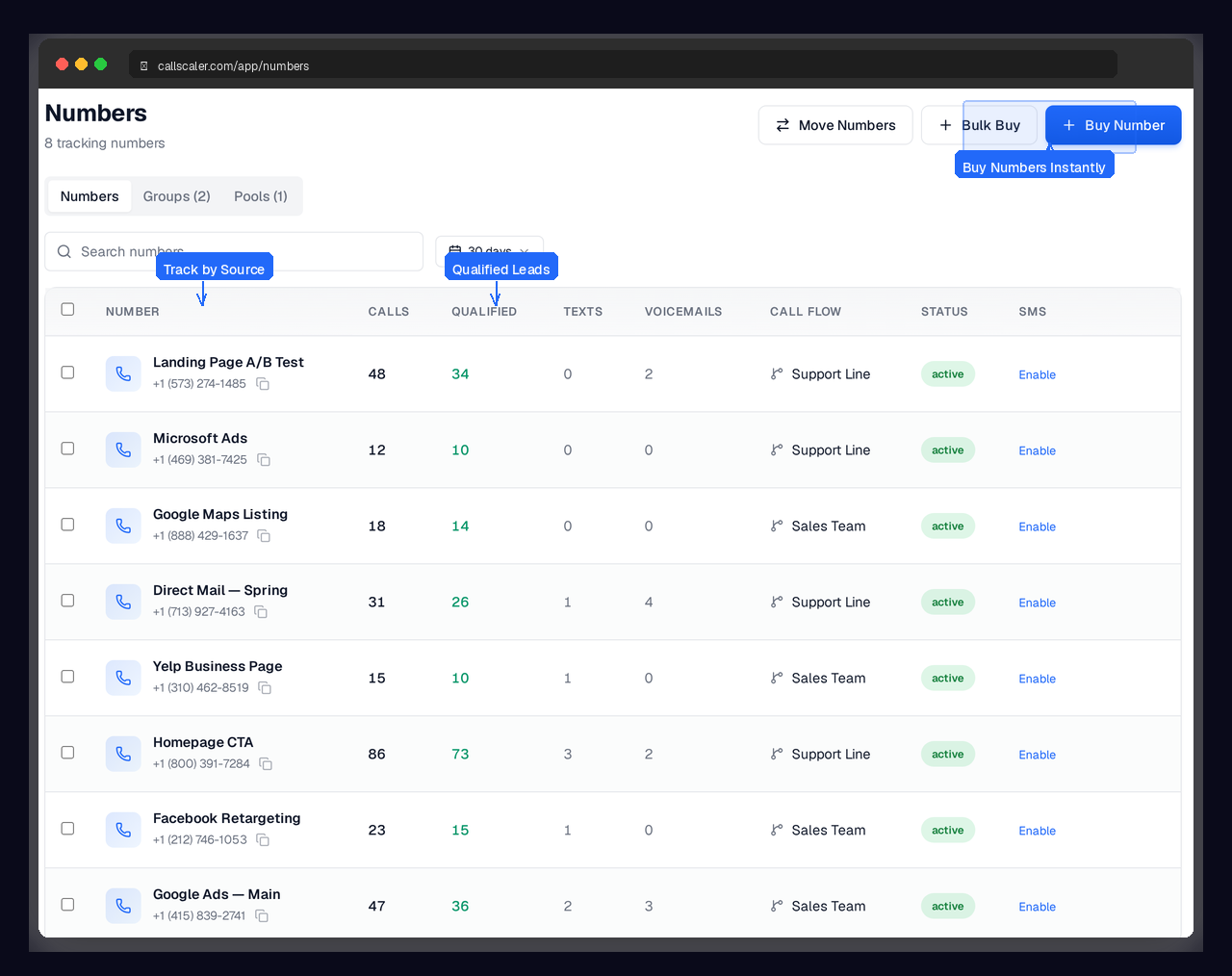
You grab a local or toll-free number and assign it to a source. For example, you might assign (555) 123-4567 to your Google Ads campaign for 'roof repair' and (555) 123-4568 to your Facebook lead gen ads. When someone calls either number, CallScaler routes the call to your real business line and records which source drove the call. The caller never knows they dialed a tracking number. For online campaigns, you can take this further with dynamic number insertion, which swaps numbers on your website automatically based on how each visitor found you.
Static vs. dynamic tracking numbers
Static tracking numbers are assigned one-per-source and stay fixed. They work for offline campaigns like billboards, print ads, radio spots, and direct mail where each channel gets its own number. Dynamic tracking numbers are part of a number pool that rotates on your website to give each visitor session a unique number, enabling visitor-level attribution. Most businesses use a mix of both. Static for offline, dynamic for online.
How many tracking numbers do I need?
For offline campaigns, you need one number per source you want to track separately. For website visitor tracking via DNI, the pool size depends on your concurrent traffic. A site with under 500 daily visitors typically works well with 10-15 numbers in the pool. CallScaler recycles numbers after visitor sessions expire, so you need fewer than you might expect. You can start small and add more as your traffic grows.
What happens to call data?
Every call to a tracking number is logged with the source, caller ID, location, duration, recording, AI transcription, AI summary, and lead score. You can search, filter, and export this data from the call log, push it to Google Ads or Meta for conversion optimization, or send it to any tool via webhooks. The data lives in your CallScaler dashboard alongside form submissions and SMS messages for a complete view of lead activity.
Setup tips for new tracking numbers
Get the most out of your tracking numbers from day one:
- Pick area codes that match the region you serve — local numbers get answered more often
- Enable call recording and AI summaries on every number so no call goes unanalyzed
- Set up a call flow with voicemail fallback so you never lose a lead to a missed call
- Add call whisper so your team knows the lead source before they say hello
Common use cases by industry
Different industries use tracking numbers in different ways:
- Home services companies assign one number per ad platform (Google, Yelp, Angi) and one per mailer or billboard
- Law firms track numbers per practice area so they can measure which specialties generate the most calls
- Real estate agencies assign numbers per listing or per agent to measure marketing performance
- Pay-per-call networks buy hundreds of numbers at volume pricing and assign them to publishers and offers
Tracking numbers vs. your real business number
Tracking numbers forward to your real business line. Callers never know they dialed a tracking number, and your team answers calls the same way they always do. The only difference is that CallScaler logs the source, records the call, and runs AI analysis before connecting. You keep your existing phone system, receptionist, or call center. CallScaler sits in front of it as an attribution layer, not a replacement.
Integrating tracking numbers with other CallScaler features
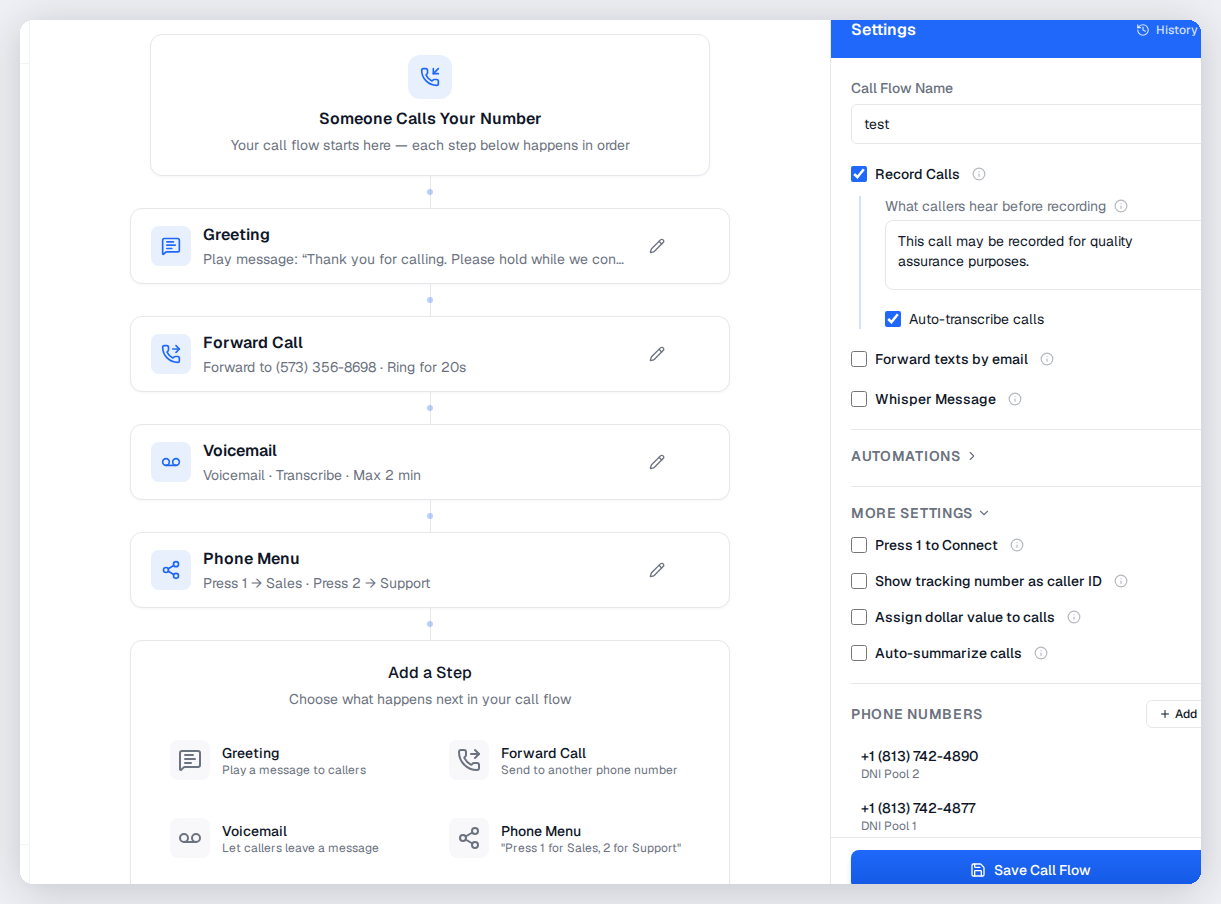
Tracking numbers are the starting point for everything else in CallScaler. Attach a call flow to route calls through IVR menus, round-robin distribution, or geo-routing. Enable DNI to swap numbers on your website automatically. Push call conversion data to Google Ads or Meta. Every feature connects back to the tracking number as the foundation of your call attribution setup.
Frequently asked questions
Common questions about Tracking Numbers.
Related features
Works great with Tracking Numbers.
Dynamic Number Insertion
One line of JavaScript. Every website visitor sees a unique tracking number based on how they found you — Google Ads, Facebook, organic, or direct. Visitor-level attribution without changing your site.
Learn moreCall Flows
Build sophisticated call routing with zero code. Greetings, IVR menus, round-robin distribution, schedule-based routing, geo-routing, and webhooks — all in a visual editor that anyone can use.
Learn moreNumber Pools
Groups of tracking numbers that work together for visitor-level attribution. Numbers are automatically assigned to website visitors and recycled when sessions expire. Configure pool size, session duration, and overflow behavior.
Learn moreReady to try Tracking Numbers?
Sign up free and get started in under 60 seconds. No credit card required.