Call Tracking Reports with CSV Export and Scheduled Delivery
Generate detailed call reports filtered by date, source, campaign, lead score, and more. Export to CSV with all call data including recordings, transcripts, and AI summaries. Schedule automated reports delivered via email or webhook.
The bottom line
Last updated: February 2026CallScaler's reporting lets you generate detailed call reports filtered by date, source, campaign, lead score, duration, and more. Export to CSV with all call data including recording URLs, transcripts, and AI summaries. Schedule automated reports for daily, weekly, or monthly delivery via email or webhook. This is especially useful for agencies that need to send regular client reports without manual effort. Included on all plans.
How it works
Build, filter, and schedule reports for any audience.
Build Your Report
Choose filters: date range, source, campaign, lead score, duration, and more. Combine filters for granular views.
Choose Fields
Select which data fields to include: caller ID, source, transcript, AI summary, lead score, recording URL.
Export or Schedule
Download the report as CSV instantly, or schedule it for automatic delivery daily, weekly, or monthly.
Deliver Automatically
Scheduled reports are sent via email or webhook. Clients and team members get fresh data without asking.
Key capabilities
Automated reporting that keeps clients and teams informed.
CSV Export
Export any filtered view to CSV with all call data. Recordings, transcripts, and AI summaries included.
Advanced Filters
Filter by date range, source, campaign, lead score, call duration, answered/missed, and custom tags.
Scheduled Reports
Automate report delivery on a daily, weekly, or monthly schedule. Set it once and forget it.
Email Delivery
Reports delivered straight to inboxes. Perfect for clients who want regular updates without logging in.
Webhook Delivery
Push report data via webhook for automated ingestion into BI tools or data warehouses.
Dashboard Stats
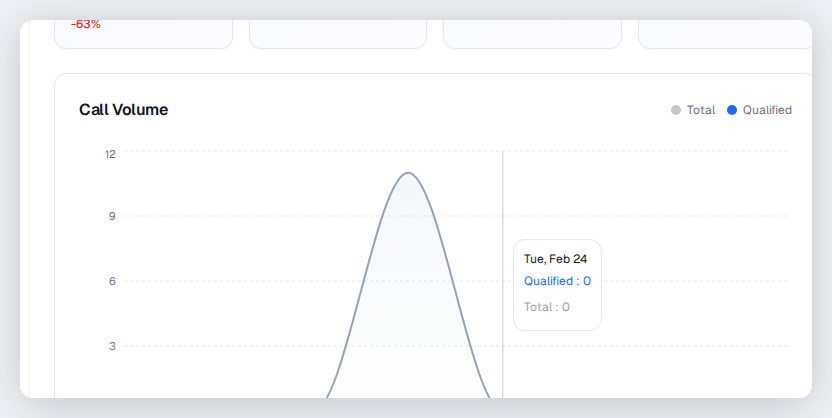
Real-time stats and charts in the dashboard. Quick views for volume, sources, and trends.
Try Call Reports & Exports free
No credit card required. Set up in under 60 seconds.
Who uses call reports?
Agencies, managers, and operations teams that need regular reporting on call performance.
Building reports that answer specific questions
CallScaler reports start with filters. Choose a date range, select specific sources or campaigns, set lead score thresholds, and pick which data fields to include. This lets you answer specific questions like 'How many qualified calls came from Google Ads last month?' or 'What is the average lead score for calls from our Facebook campaigns?' Every report can be downloaded as CSV instantly or scheduled for automatic delivery. The flexibility means you can create different reports for different stakeholders without manual data manipulation.
Scheduled report delivery
Automate your reporting workflow with scheduled delivery:
- Set daily, weekly, or monthly delivery schedules for any report configuration
- Reports are emailed directly to client or team member inboxes as CSV attachments
- Webhook delivery pushes report data to BI tools or data warehouses automatically
- Each scheduled report remembers your filter settings and field selections
- Multiple recipients can receive the same report or different reports on different schedules
- Pause or modify scheduled reports anytime from the dashboard
Reports for agency client management
Agencies use CallScaler reports to keep clients informed without manual effort. Set up a weekly report for each client showing call volume, lead quality breakdown, top-performing campaigns, and missed call rates. The report is emailed automatically every Monday morning. When clients ask 'how are my campaigns doing?' you can point them to the latest report or pull a custom one in seconds. This reduces support requests and builds trust through transparent, consistent reporting.
Custom field selection
Choose exactly what data appears in each report:
- Include or exclude caller ID, source, campaign, duration, and call status
- Add AI summaries and lead scores for quality-focused reports
- Include recording URLs for teams that want to spot-check calls from the report
- Add transcript text for compliance reports that need written records
- Include webhook delivery status for technical teams monitoring integrations
- Customize column order to match your existing reporting templates
Combining reports with Google Sheets
For teams that want live data in spreadsheets, combine CallScaler's Google Sheets integration with scheduled reports. The Sheets integration logs every call in real time, while scheduled reports provide periodic summaries with specific filter criteria. Use the real-time sheet for operational monitoring and scheduled reports for periodic stakeholder updates. You can build Google Sheets dashboards with pivot tables and charts that update automatically as new call data flows in from CallScaler.
Report templates for common use cases
Start with these report configurations for typical needs:
- Weekly client report: filter by client business, include call volume, lead scores, and top sources
- Monthly campaign review: filter by date range and source, include AI summaries for quality review
- Daily missed call report: filter for missed calls, schedule delivery every morning before business hours
- Pay-per-call billing report: filter by buyer, include duration, lead score, and qualification status
Reports vs dashboard for different audiences
The dashboard is great for people who log in regularly and want real-time data. Reports are better for people who want periodic updates without logging in. Send automated weekly reports to clients and executives who want summaries. Use the dashboard yourself for daily operational decisions. This two-tier approach serves both audiences without extra work after the initial setup.
Exporting data for external analysis
Get your data into external tools when you need deeper analysis:
- CSV exports include all call fields for import into any BI tool or spreadsheet
- Include recording URLs and transcript text for complete data portability
- Schedule automated exports to feed data warehouses on a regular cadence
- Use webhook delivery for real-time data streaming to custom analytics systems
Frequently asked questions
Common questions about Call Reports & Exports.
Related features
Works great with Call Reports & Exports.
Analytics Dashboard
See call volume, source attribution, lead quality trends, and conversion data — all in real time. Custom date ranges, filters, and breakdowns help you make faster, smarter marketing decisions.
Learn moreCall Log
A comprehensive log of every call with recording, transcript, AI summary, lead score, source data, and caller information. Filter, search, export, and take action on any call in seconds.
Learn moreGoogle Sheets Integration
Every call automatically appears as a new row in your Google Sheet — with source, duration, recording link, transcript, and lead score. Perfect for teams that live in spreadsheets.
Learn moreReady to try Call Reports & Exports?
Sign up free and get started in under 60 seconds. No credit card required.